Challenge 5 · Engineer the Agent: Specialist Subagent and Reusable Skill
Challenge 05 of 08 · Act III: Agent Engineering
Run mode: Review · Focus: builder, no incident to fix · Time: ~45 min
Stage: Foundation → Operations → Engineering → Autonomous → Major Incident
Situation. The platform is stable, which is the right time to invest in tooling. You've repeated the same Kubernetes triage and the same crew query-path recovery across several incidents. Both are perfect candidates to make reusable.
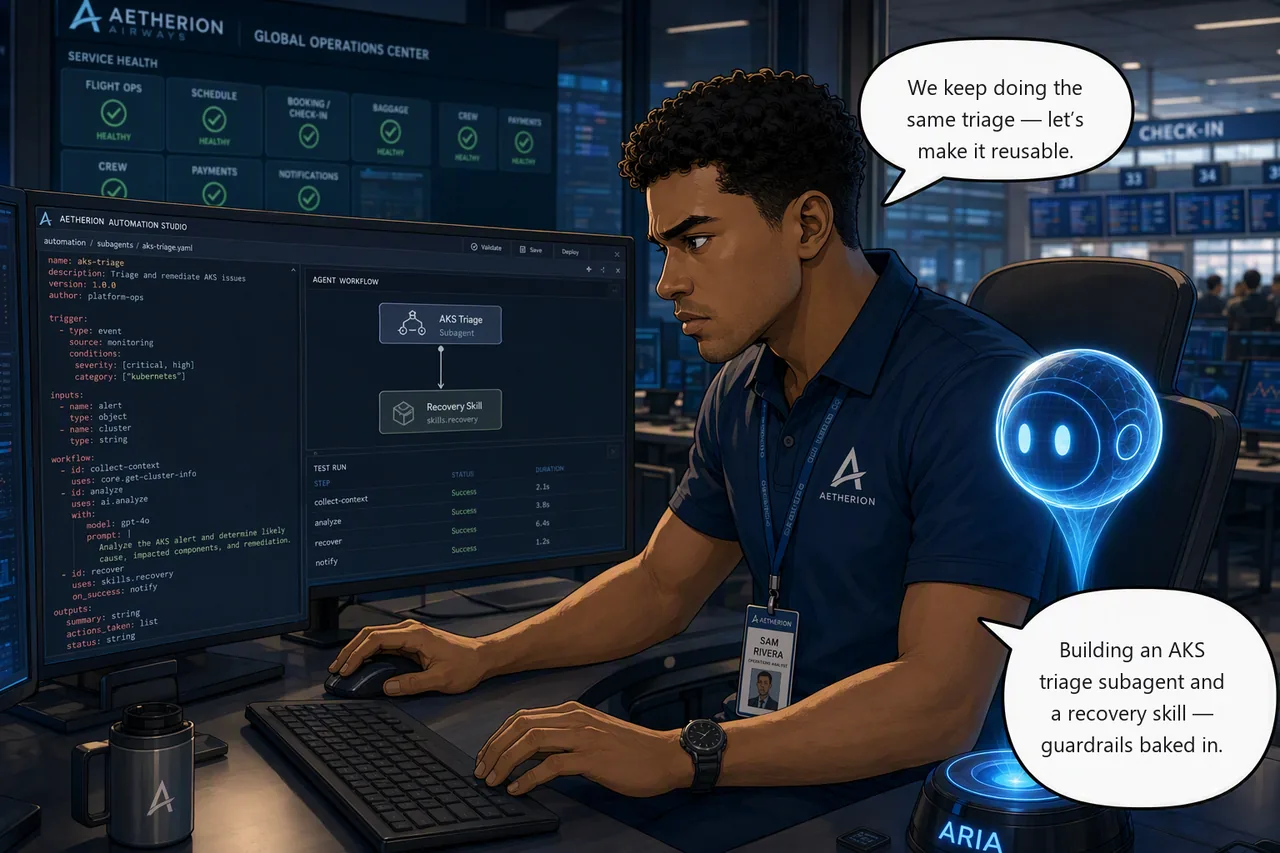
Mission. Build a custom AKS-focused specialist subagent, scope it to the tools it actually needs rather than letting it inherit everything, use it for a scoped investigation, then encode the crew query-path recovery as a reusable skill with its guardrails intact.
Start this challenge
Challenge 5 injects no fault, so the board stays green while you build.
Tasks
- Build the specialist. Create an AKS triage subagent for the
aetherionnamespace, scope it to the eight tools it needs, verify what it actually got, then invoke it to summarize namespace health and likely causes. - Encode the skill. Capture the crew query-path recovery from Challenge 4 as a reusable skill, guardrails intact, and confirm it loads.
- Know when to use which. Decide whether the new skill belongs to the specialist or the main agent, act on that decision, and be able to say when you'd reach for the subagent (delegate to it to investigate) versus the skill (a procedure the agent can draw on).
You don't have to type either of these from scratch
Both finished definitions ship in your lab clone — the repository you cloned
to run this hack, the one holding knowledge/ and scripts/. Not the
application repo.
| What you're building | File in your lab clone | Used in |
|---|---|---|
The aks-triage subagent |
agents/aks-triage.agent.yaml |
Task 1 — paste into the dialog's YAML tab |
| The crew recovery skill | skills/crew-query-path-recovery/SKILL.md |
Task 2 — paste into the SKILL.md editor |
Read them before you paste. The point of the challenge is understanding why those eight tools and not the other 46, and why the guardrails are worded the way they are — not the typing.
Suggested Azure SRE Agent prompt
Paste into the agent chat
Delegate this to your aks-triage subagent rather than handling it yourself.
Triage pod status, events, rollout history and dependency health for the
aetherion namespace, and have the specialist return a scoped health
assessment with likely causes and the evidence behind them. Tell me
explicitly which agent produced the answer.
Ask for the subagent by name, or you won't get it
Wording like "act as my AKS reliability specialist" does not invoke the subagent. The main agent simply adopts the persona and does the work itself, and the answer looks convincing enough that you'd never notice.
Delegating explicitly, by saying "delegate this to your aks-triage subagent", does
invoke it. You'll see a Parallel subagent execution step in the thread,
and asking "which agent produced the answer" gives you a straight answer to
check against. There is no slash-command syntax; delegation is natural
language.
Success criteria
- A custom AKS-specialist subagent exists, is scoped to a deliberate tool set rather than inheriting all 46, and you verified via the API that
RunKubectlReadCommandis present andRunKubectlWriteCommandis not. - You've invoked it for a scoped investigation that produces genuinely useful triage.
- A reusable skill captures the sanctioned recovery, loads/applies correctly, and matches the runbook guardrails.
- You decided who owns that skill and acted on it: it stays with the main agent, not the read-only AKS specialist, and you can give the reason.
- You can explain when to reach for the subagent versus the skill, and
check-challenge.ps1 5passes.
Verify your work
Both questions are yours to answer honestly. Nothing here changes the platform, so the check asks you to confirm what you built:
Hints
Scope the specialist. Decide the specialist's remit in one sentence before you build it; narrow beats broad. Then make that remit real: a subagent that inherits every tool the main agent has is a persona in a costume, and its "read-only" constraint is a polite request.
Work out its tool list from evidence, not taste. Look at what an AKS investigation actually used in Challenges 2 to 4, and give it exactly that. Judge the result by whether its output would speed up a real AKS incident, and by whether it is now incapable of doing the things you never wanted it to do.
Encode the recovery. For the skill, reuse the exact steps from Challenge 4 as the backbone and bake in the guardrails (diagnose which layer is saturated, repair the query path, never delete or restart the database). Be careful not to encode "scale it" as the answer — Challenge 4 is precisely the case where scaling cannot work.
Skills encode a procedure the agent can draw on; subagents are delegated to and investigate. You'll want both in the final incident.
Stuck? Step-by-step for each task
Give each task a genuine attempt first, and skim the hints above. When you want the exact clicks, open the matching task below.
Task 1 · Build the specialist
Both the subagent and the skill are created from the same place: in the agent, open Builder in the left-hand menu, then Agent Canvas. The canvas shows what your agent is made of: incident response plans, subagents, and the tools attached to them.
Click + Create subagent. The Create a custom agent dialog opens. Fill it in as follows.
Custom agent name
Instructions. This is the remit, and it is the field that decides whether the specialist is worth having. Paste this, then adjust to taste:
You are an AKS reliability specialist for the `aetherion` namespace.

Scope: Azure Kubernetes Service only. Investigate pod status, container
restarts, Kubernetes events, deployment rollout history and the health of
dependencies as seen from inside the cluster. Do not investigate API
Management or the database yourself. If the evidence points outside AKS,
say so and hand back.

Method: gather evidence before concluding. Prefer `kubectl` output,
Kubernetes events and rollout history over inference. When a workload looks
unhealthy, always check whether a recent rollout explains it, and report the
revision and its change cause.

Output: a short namespace health summary, the affected workloads, the
evidence you relied on, likely causes ranked by confidence, and the
recommended next step. Distinguish clearly between what you observed and
what you inferred. If required data is unavailable, say what is missing
rather than assuming.

Constraints: read-only. Propose remediation, never apply it.
The last line is a request. On its own, nothing enforces it. You are about to make it real.
Skills: leave inherited for now. The skill you are about to author does not exist yet, so there is nothing to decide here. You will come back to this panel in Task 3, and the answer is not the obvious one.
Tools: this is where the specialist actually becomes a specialist.
A subagent that inherits everything is not a specialist
Leave this panel alone and the canvas will tell you the truth:
Inherits 46 tools · 38 skills. Identical capability to the main
agent, differing only by a prompt. That is a persona, not a specialist.
There are four axes you can specialise on, and they are not equal:
| Axis | Effect | Enforced? |
|---|---|---|
| Instructions | Remit, method, output contract | No. Advisory |
| Tools | What it can physically call | Yes |
| Skills | What procedures it can draw on | Yes |
| Autonomy | Whether it acts or proposes | Yes |
Your instructions say read-only. Scoping the tools is what makes that true rather than requested.
Scope it with the YAML tab, not the Tools picker. The dialog has a Form and a YAML tab. Use YAML: four of the eight tools below come from the built-in MCP server and do not appear in the Form picker at all, so a Form-only attempt silently produces a half-scoped specialist.
The finished definition is already in your lab clone (the repository you
cloned to run this hack, the same one holding knowledge/ and scripts/ —
not the application repo), at agents/aks-triage.agent.yaml:
Open the YAML tab in the dialog and paste the file's contents over whatever is there. These are the eight tools it grants, which are what an AKS triage investigation actually used across Challenges 2 to 4:
| Tool | Source | Why the specialist needs it |
|---|---|---|
RunKubectlReadCommand |
Azure Operation | Pods, events, rollout history. The core of the job |
RunAzCliReadCommands |
Azure Operation | Read cluster and workload configuration |
system-mcp-monitor_monitor_metrics_query |
MCP | CPU, memory, restart counts |
system-mcp-monitor_monitor_resource_log_query |
MCP | Container logs |
system-mcp-monitor_monitor_activitylog_list |
MCP | Correlate platform-level changes |
QueryLogAnalyticsSearch |
Log Query | Search the workspace when metrics are not enough |
SearchIncidentKnowledge |
Knowledge Base | The runbooks you grounded in Challenge 4 |
SearchMemory |
Knowledge Base | Recall earlier incidents. Challenge 7 depends on this |
Now look at what you deliberately left out, because the exclusions are the design:
| Excluded | Why |
|---|---|
RunKubectlWriteCommand |
This is the one. The specialist now cannot change the cluster. Read-only stops being a sentence in a prompt |
RunAzCliWriteCommands |
Same reasoning, at the Azure layer |
UploadKnowledgeDocument |
It reads the knowledge base. It does not get to rewrite it |
| Scheduled task tools | A triage specialist has no business creating schedules |
| Most Workspace Operation tools | File writes and terminal access are not triage |
Eight tools instead of forty-six. Every one of them justifiable in a sentence. That is the difference between a specialist and a costume.
Selecting tools REPLACES the inherited set. It does not add to it
The dialog says selecting tools overrides the defaults. It means replaces. Select three tools and the specialist has three tools, full stop. There is no partial inheritance.
This is why the list above has to be complete rather than a highlight reel, and why you must verify it afterwards.
Why the Form picker is not enough
Search the Form picker for kubectl, AKS or Kubernetes and you get
nothing useful — the tool is named RunKubectlReadCommand. Worse, the
four system-mcp-monitor_* tools are not offered there at all, because
they come from a built-in MCP server rather than the native catalogue.
That is why this task uses YAML. You have been using MCP tools since Challenge 1 without knowing it; this is the first time it matters.
Verify what the specialist actually got. Do not trust the dialog. The picker is not the source of truth. Ask the agent's own API:
$base = az resource show -g <resource-group> -n <agent-name> `
  --resource-type Microsoft.App/agents --api-version 2026-01-01 `
  --query properties.agentEndpoint -o tsv

$tok = az account get-access-token --resource https://azuresre.ai `
  --query accessToken -o tsv

$r = Invoke-RestMethod "$base/api/v2/agent/tools" `
  -Headers @{ Authorization = "Bearer $tok" }

$r.data | Where-Object enabled | Select-Object category, name |
  Sort-Object category, name
The token audience must be https://azuresre.ai; an ARM token is rejected.
This is the check that matters: RunKubectlReadCommand must be present
and RunKubectlWriteCommand must be absent. If the write tool is still
there, your specialist can change the cluster no matter what its
instructions claim.
Hooks: nothing needed for this challenge.
Then select Create.
The YAML tab exposes three fields the form hides
The Form / YAML toggle edits the same definition, but the YAML view shows extra keys worth knowing about:
handoff_description: when the main agent should delegate to this specialist. Worth writing, because it is what makes the subagent usable in Challenge 7.agent_typesets the kind of subagent:Autonomous,OrchestratororActivity. The portal hardcodes new subagents toAutonomous, and it is not the Review / Autonomous run mode. That is a separate agent-level setting. Leave it as generated.enable_skills: whether the specialist can load skills, including the one you are about to author.
Then invoke the specialist by delegating to it by name and ask for a namespace-health summary with likely causes. Confirm it actually ran, which the thread shows as a Parallel subagent execution step, then judge it on one question: would this have sped up a real AKS incident?
You'll meet this subagent again
In Challenge 6 the response plan's Response subagent dropdown is populated by exactly what you build here. Whether it is the right thing to route a major incident to is a decision you'll make there.
Task 2 · Encode the skill
Exactly the same path, Builder → Agent Canvas, but click + Create skill instead. (Builder → Skill Builder in the left-hand menu takes you to the same place.)
Name
Description, behind the Edit link, is the field most people skim. This description is what the agent matches on when deciding whether the skill is relevant, so describe when to reach for it, not what it does:
Use when crew scheduling is slow or timing out and the pods themselves look
healthy and underutilised, the symptom of a saturated shared database
rather than a saturated workload. Also use when several services sharing one
database degrade together while unrelated services stay fast.
There are two descriptions, and they are not the same field
The one above is the Description field on the left of the dialog.
The SKILL.md editor on the right also has a description: line in
its frontmatter. Fill in both:
| Field | Says |
|---|---|
| Description (left panel, behind Edit) | When to reach for the skill \u2014 this is the matching signal |
description: (SKILL.md frontmatter) |
What the skill does |
Do not try to edit the frontmatter line by hand and leave the rest of
the scaffold in place. Select everything in the editor and replace it
with the whole file below \u2014 that fills the frontmatter and removes the
<!-- Add your skill instructions here --> placeholder in one go.
SKILL.md: the editor on the right is pre-scaffolded with name and
description frontmatter and a placeholder comment. The finished file is
already in your lab clone (the same repository as the knowledge/
folder, not the application repo), at
skills/crew-query-path-recovery/SKILL.md:
Paste it into the editor, or drag that file onto the Files panel:
---
name: crew-query-path-recovery
description: Recover crew scheduling when a saturated shared database, not the workload, is the bottleneck.
---

## When this applies

`crew-scheduling` is slow or timing out, but its pods are healthy, not
restarting, and using little CPU. Peer services sharing the same PostgreSQL
server are also degraded; services that do not share it are unaffected.

## Diagnose before acting

1. Confirm the pods are waiting, not working: check pod CPU against requests
   and confirm no restarts.
2. Confirm the autoscaler is not the constraint. If CPU is below target the
   autoscaler will refuse to add replicas, and it is right to refuse.
3. Confirm the database is the saturated layer: check PostgreSQL CPU.
4. Identify the query path behind the crew duty lookup and whether it is
   supported by an index.

## Remedy

Repair the query path by restoring the missing index supporting the crew duty
lookup. Build it without taking a disruptive lock on a live table.

Verify by re-measuring crew latency under the same load, not by checking
that a pod restarted.

## Guardrails

- Never delete or restart the database. It is a shared dependency and the
  blast radius is every service on it.
- Do not scale the layer that is merely waiting. Adding replicas to
  `crew-scheduling` adds connections to an already-saturated database and
  makes it worse.
- Any write is proposed for approval first, never applied unilaterally.
- If the evidence does not show database saturation, this skill does not
  apply, stop and say so.
Files: SKILL.md on its own is enough. You can attach more files or a
folder if you want to split a longer procedure up.
Tools: leave empty. The dialog itself advises configuring tools on the agent rather than the skill, for more consistent behaviour.
Then select Create.
The guardrails are the point of this task. A skill that says "crew is slow, add replicas" would be actively harmful here. Challenge 4 is precisely the case where scaling cannot work. Encoding why not is what makes it worth keeping.
Task 3 · Know when to use which
- A subagent is something you delegate to by name, to investigate a domain (your AKS specialist).
- A skill encodes a procedure (the query-path recovery) that the agent can draw on when the situation matches its description.
Now answer the question this challenge sets up. You built both in the
same challenge, so the natural assumption is that they go together: should
the crew-query-path-recovery skill belong to your aks-triage specialist?
Go back to Builder → Agent Canvas, open aks-triage, and look at the
Skills panel. Left inherited, it now holds the crew recovery skill,
because it inherits every skill the main agent has.
Take it away. There is no "off" switch — Skills behaves exactly like Tools: selecting overrides the inherited set. So select the skills a read-only AKS specialist should keep, and the rest fall away with them:
Save, and the panel should read aks_general, diagnostic_cpu — with
crew-query-path-recovery no longer among them.
Three reasons, and they are worth being able to recite:
| Reason | Detail |
|---|---|
| Remit | Its own instructions say do not investigate the database yourself. The crew problem is a database query path. The skill is outside its lane by definition |
| Capability | You removed RunKubectlWriteCommand. The skill's remedy is to apply an index. It cannot execute the procedure it would be holding |
| Ownership | The main agent commands the whole board and holds the write tools. A procedure belongs where it can actually be carried out |
The pairing rule, in one line
A skill belongs to whichever agent has both the remit and the tools to execute it.
That is why these two do not pair. Build a crew-recovery subagent
instead — scoped to the database tier, holding RunKubectlWriteCommand
— and this exact skill would belong to it and to nothing else. Same
skill, different owner, because the owner's remit and tools changed.
The trap is assuming that things built together belong together. Challenge 7 uses both, through deliberately different paths: you delegate to the subagent for AKS triage, and you name the skill to the main agent for the crew fix.
Don't assume a skill fires on its own
Skills are described as loading by context, but in validation this one did not activate during a live investigation of exactly the incident it was written for. The agent solved it from first principles and never referenced the skill.
Asked directly which skills applied, it named
crew-query-path-recovery and matched it correctly. So the skill was
registered, enabled and well described; it simply wasn't reached for
unprompted.
Practical consequence: in Challenge 7, name the skill when you want it used rather than assuming it will fire. Treat a skill as a procedure you can call on, not a guaranteed reflex.
Reference
Up next: let the agent run autonomously
Now let the agent recover on its own for a small, bounded issue, then make sure it stays cost-effective at scale.